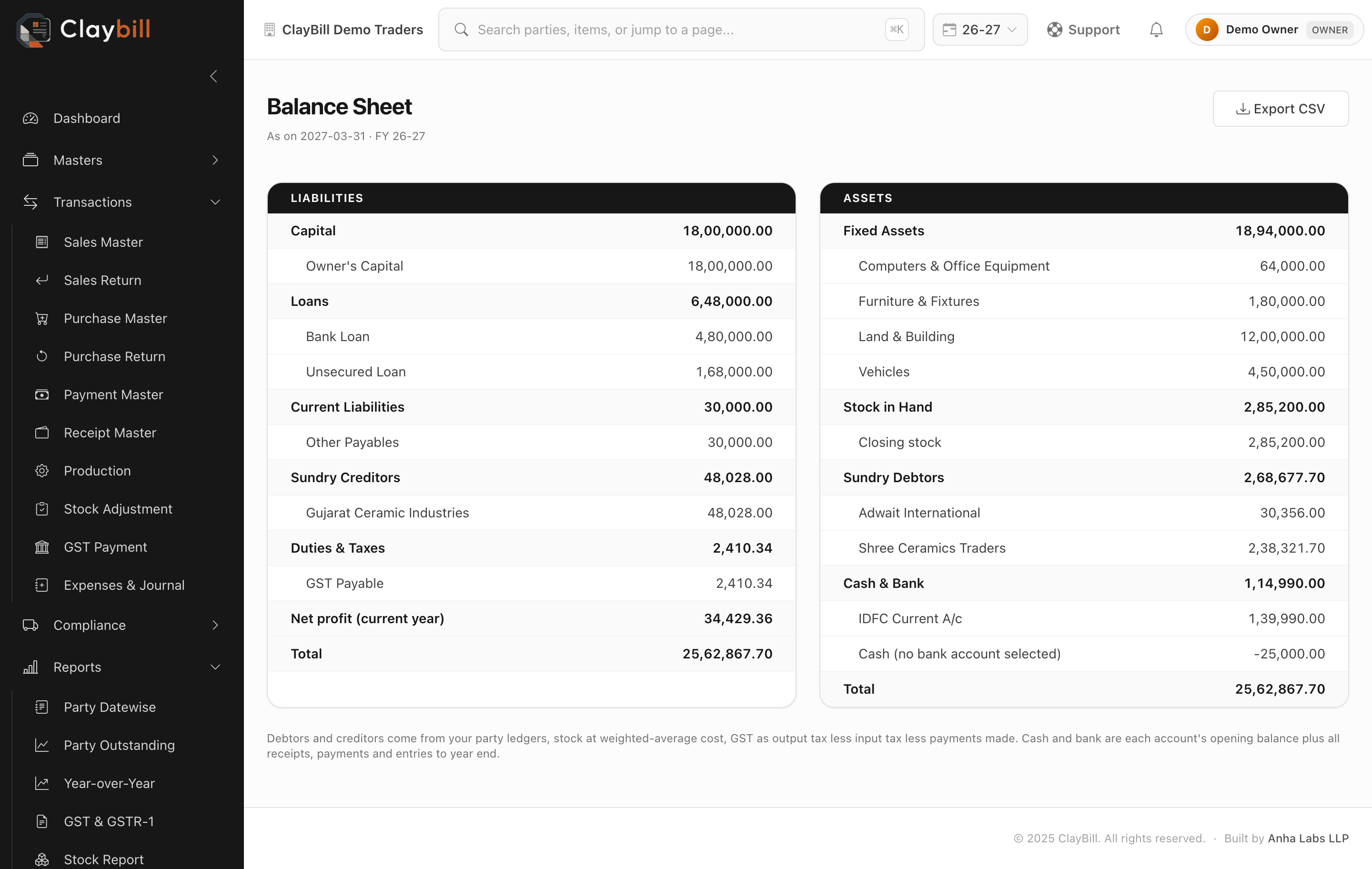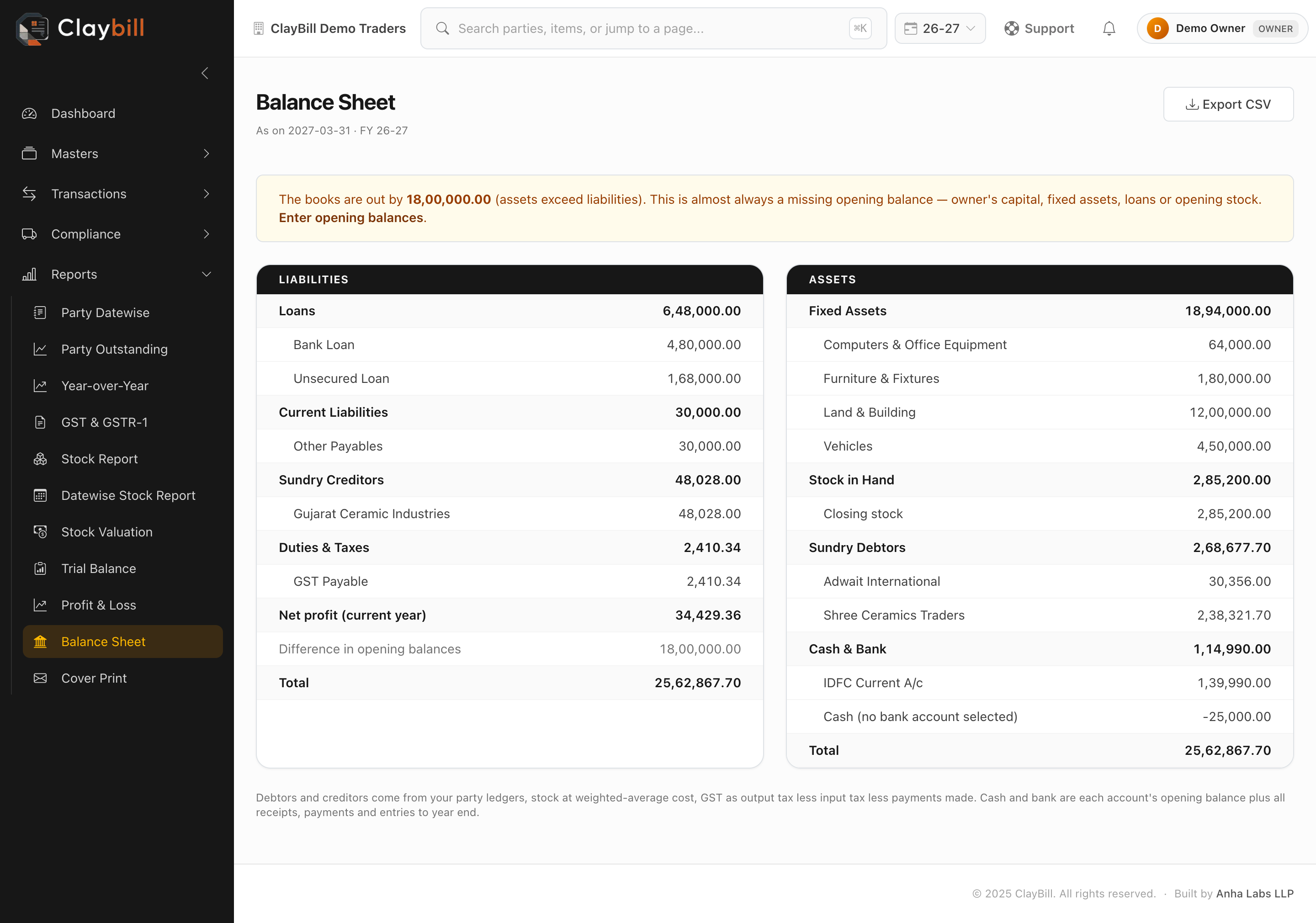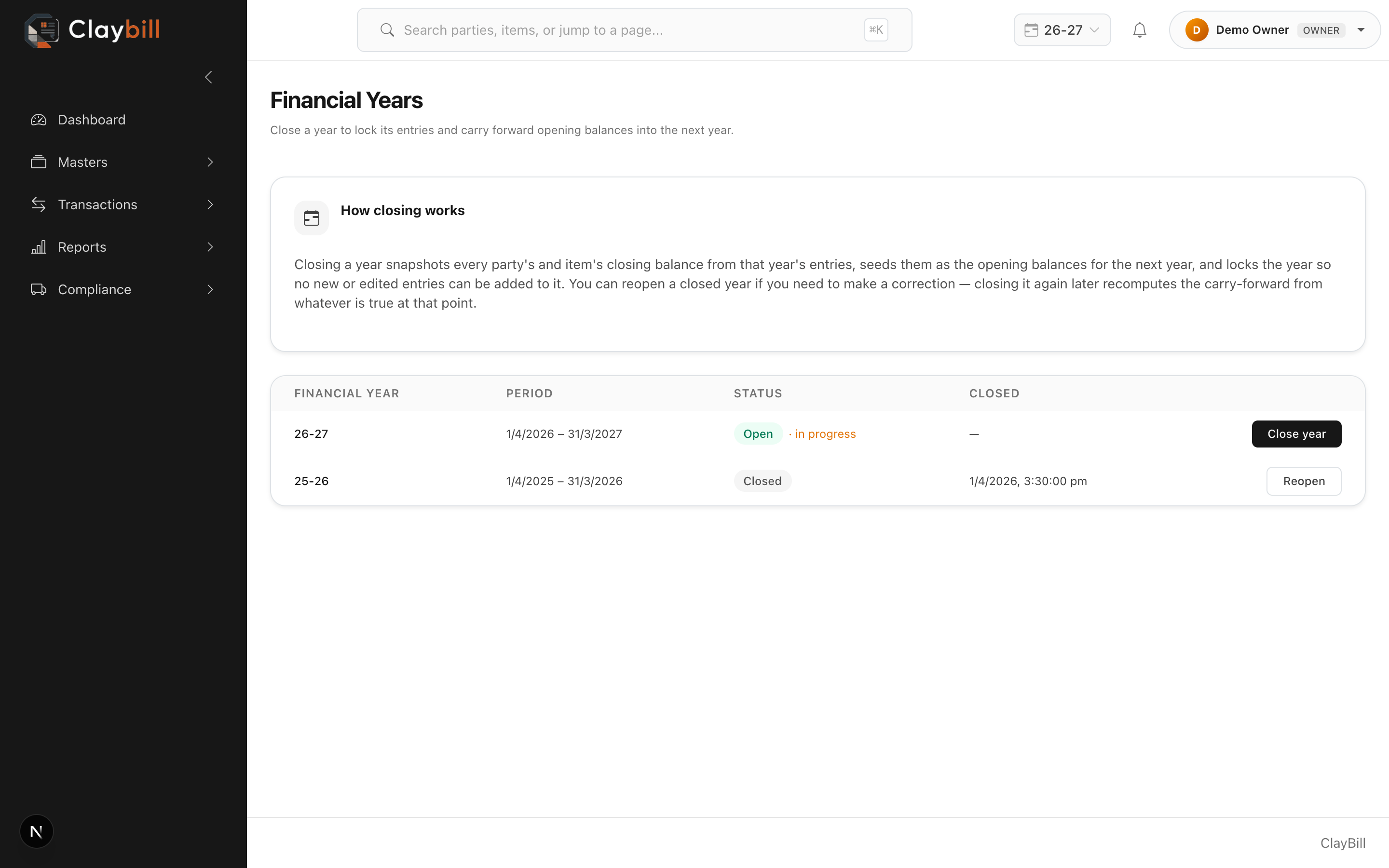

Most tile traders know their sales and their outstanding. Far fewer can say, on any given day, what their real profit is, or what the business owns and owes. That usually waits for the accountant, weeks after the year ends.
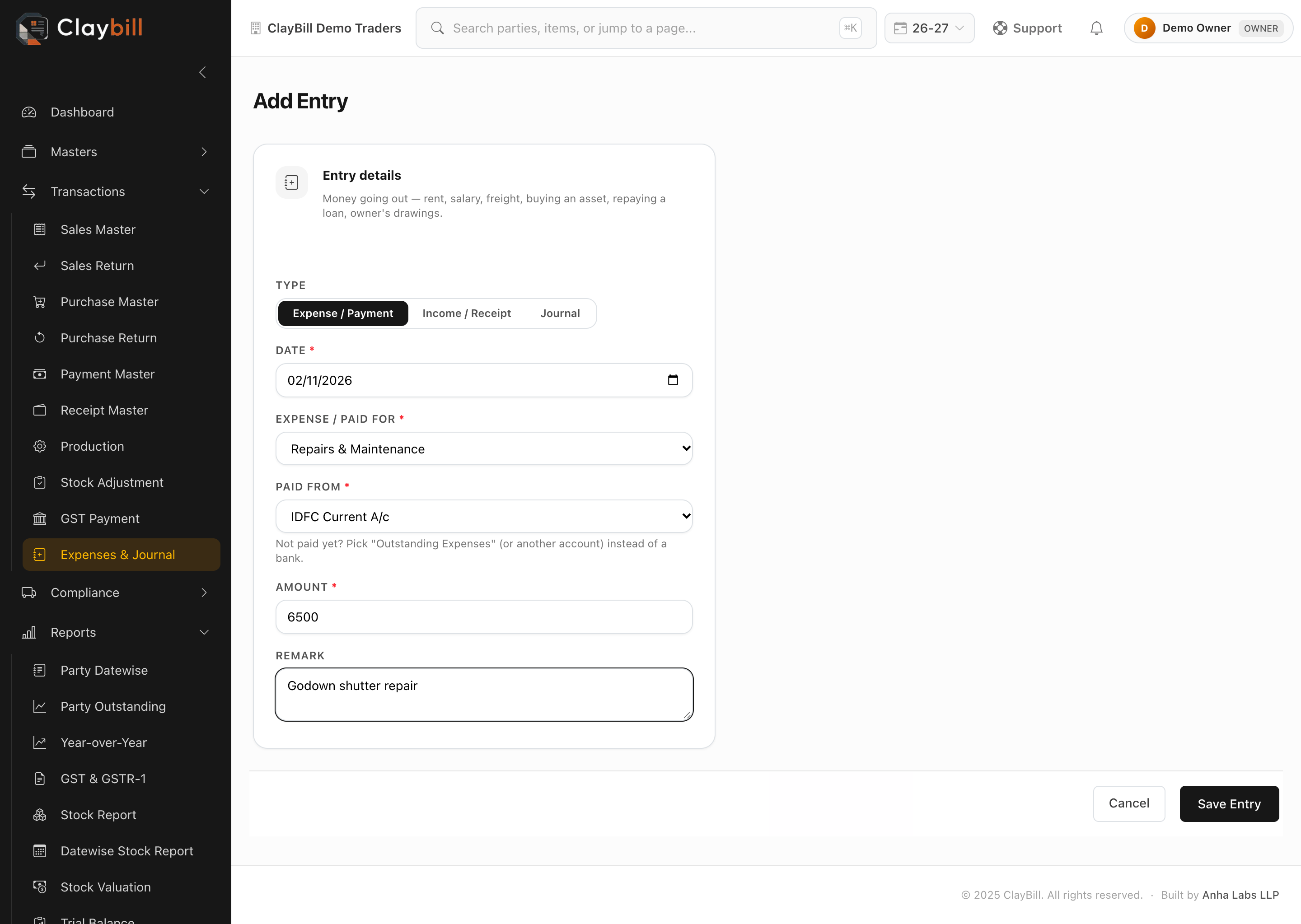
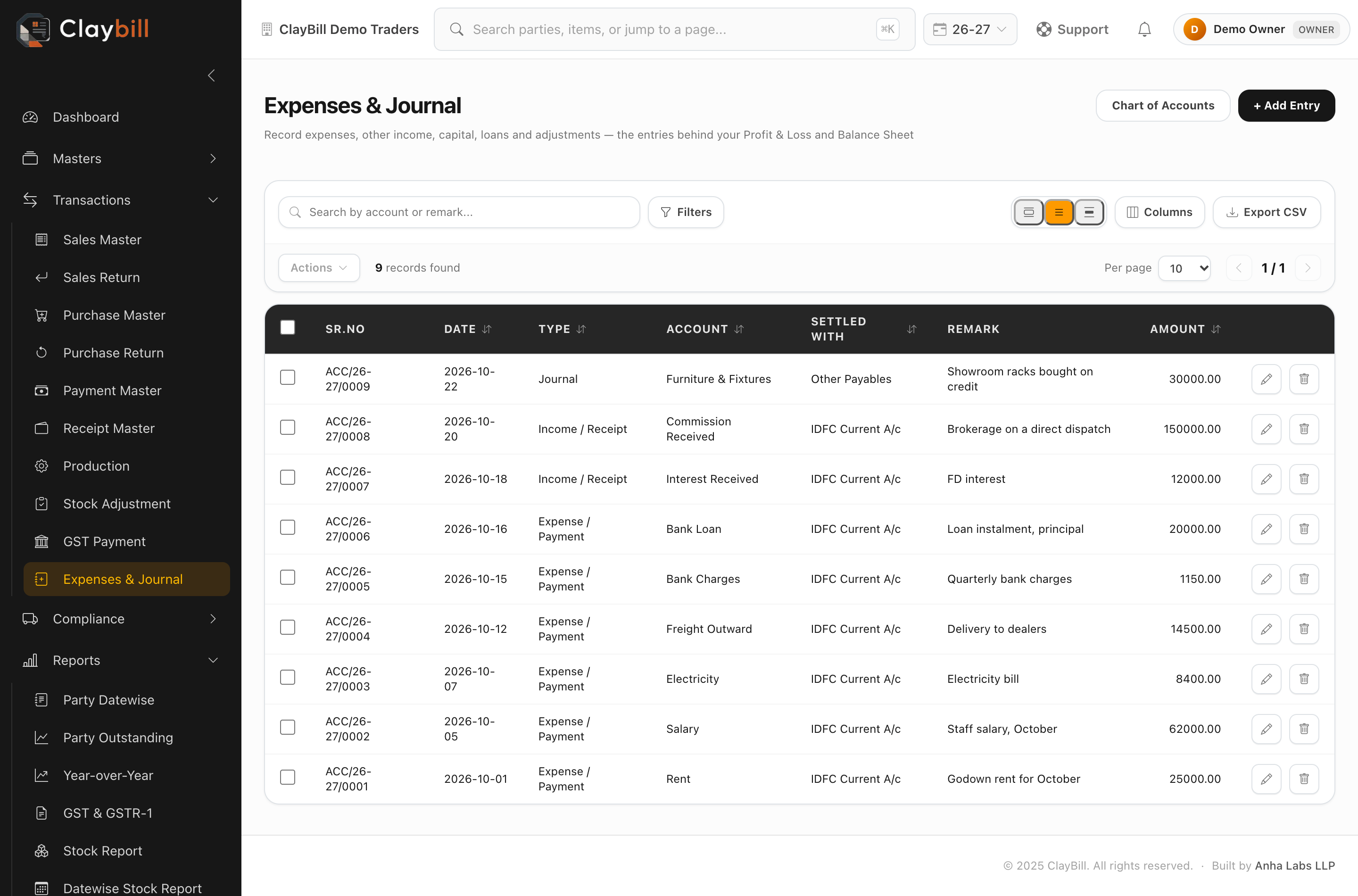
ClayBill now gives you both statements yourself, from the invoices, purchases and payments you already enter.
1. A Profit & Loss account that follows your stock
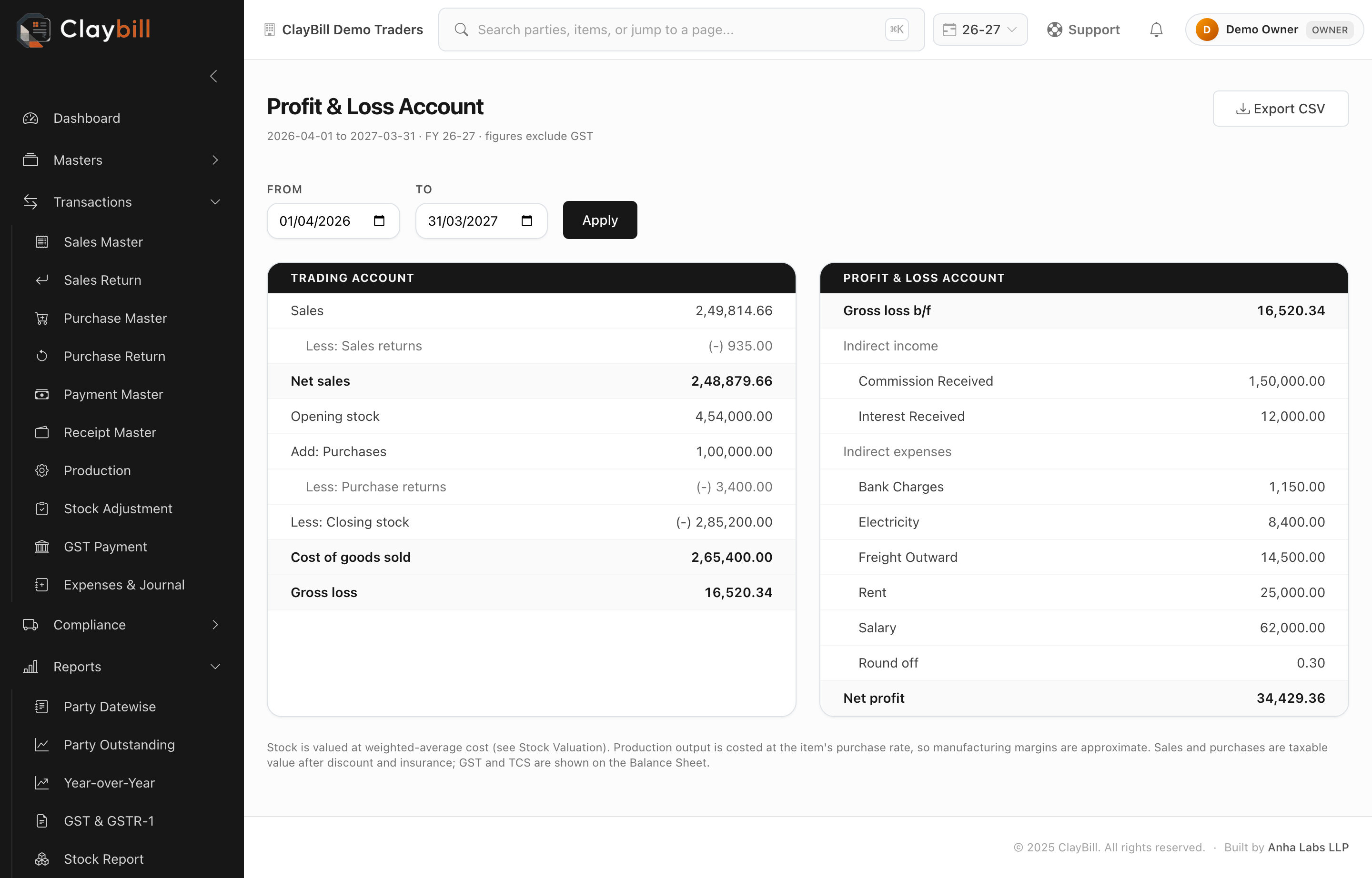
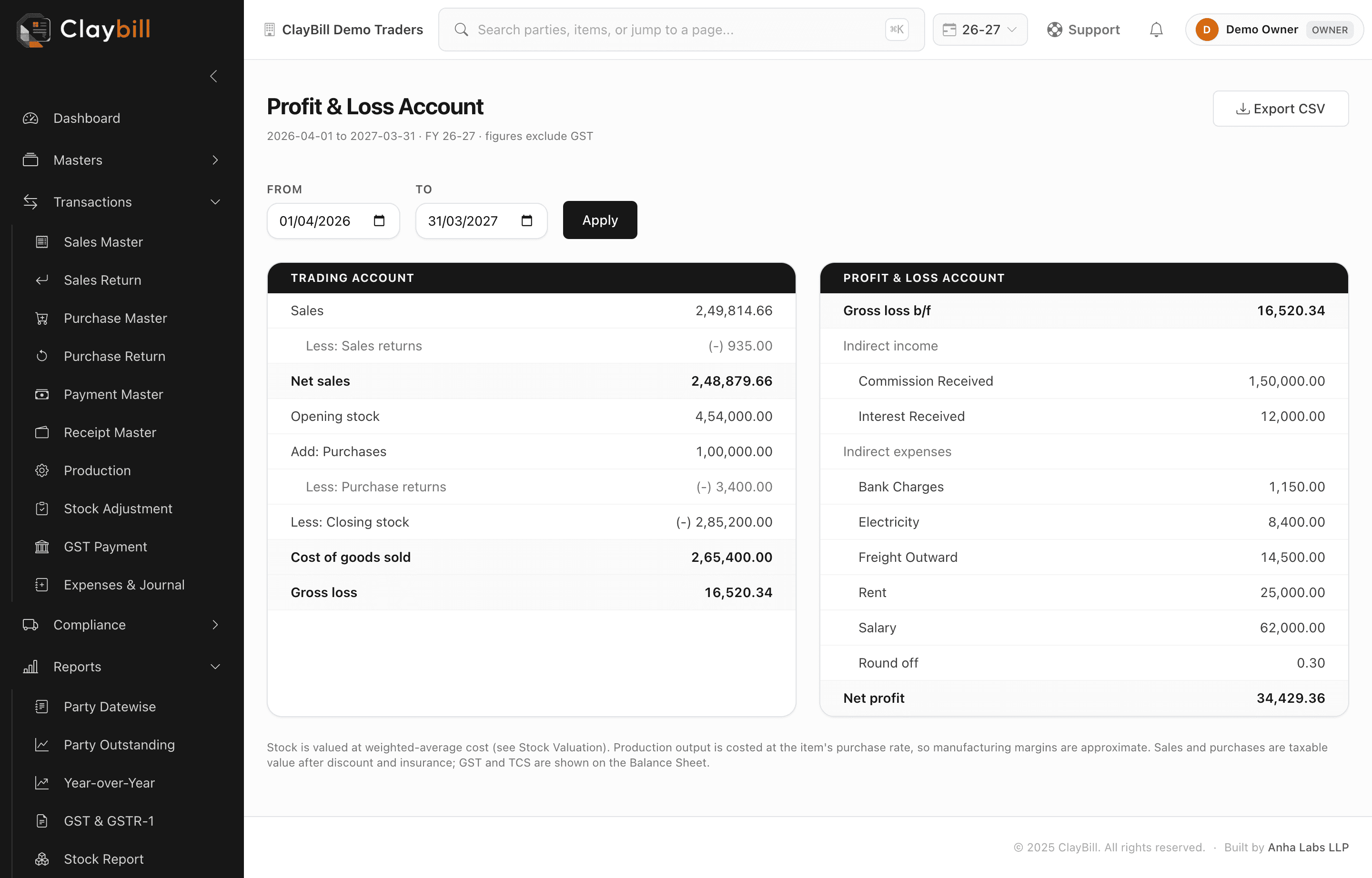
The Profit & Loss report is laid out the way your accountant expects:
- ✓Trading account: sales less returns, opening stock, purchases less returns, closing stock, cost of goods sold and gross profit
- ✓Profit & Loss account: gross profit, indirect income, indirect expenses such as rent and salary, and net profit
Sales and purchases are shown at taxable value, without GST, so GST never inflates your profit. Opening and closing stock come from the same stock valuation you already use, so the profit moves with your real inventory. Pick any From and To date to see a month, a quarter or the full year, and export it as CSV for your CA.